

Cloud · On-premises
Dynamics 365 setup, CRM migrations and integrations
Inthouse helps organizations that run sales and customer service on Dynamics 365 or Dynamics CRM (on-premises) with setup, CRM migrations, integrations and support. We've worked on CRM projects for Nestlé, Howden, Mercedes-Benz Türk and Pozitif Teknoloji.
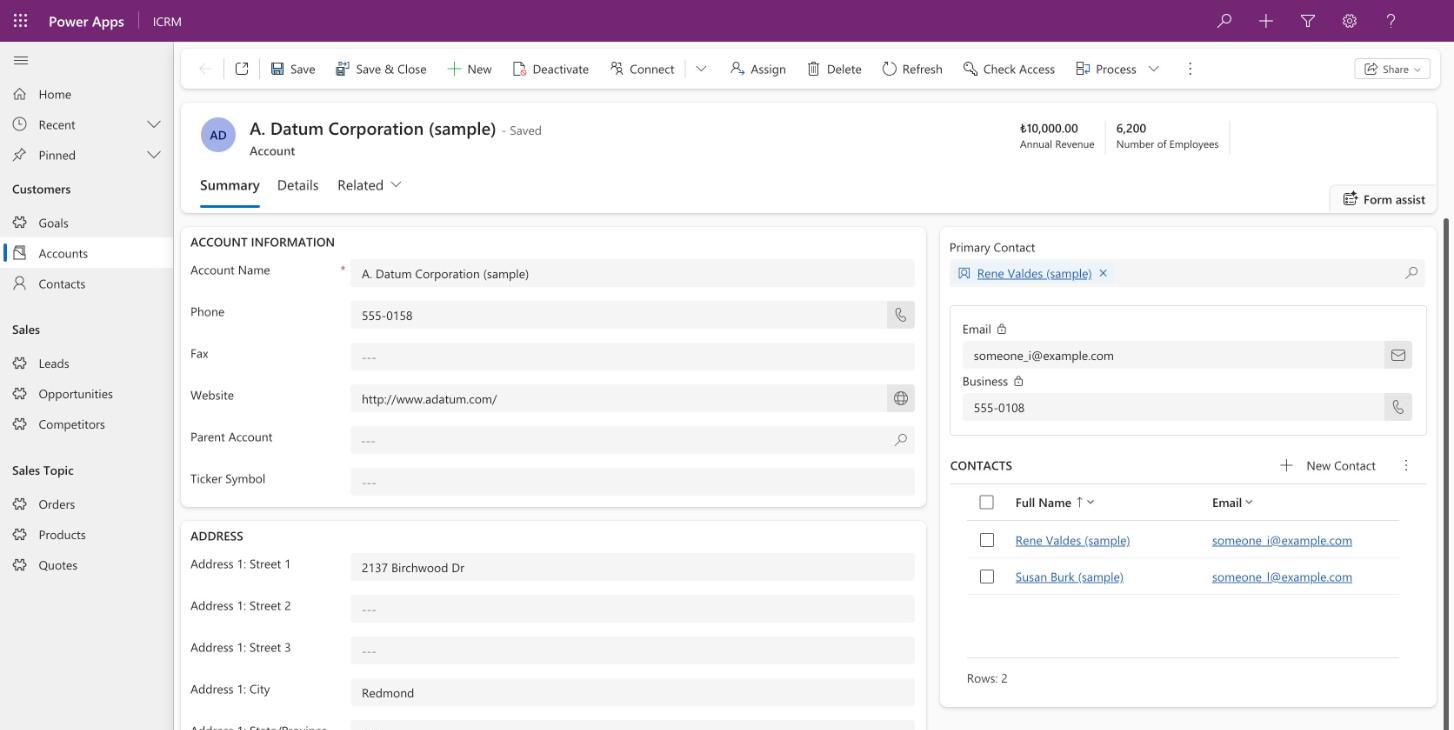
Does this sound familiar?
Your sales and service teams work in Dynamics CRM (on-premises), and keeping it current keeps getting harder.
Your customer data lives in another CRM, and you want to move to Dynamics 365.
Your CRM, ERP and other systems don't talk to each other, so people copy data by hand.
You haven't decided yet whether your CRM belongs in the cloud or on-premises.
What we do
Sales and customer service solutions
We configure Dynamics 365 or Dynamics CRM (on-premises) around your sales and service processes, and extend it where needed. Customers, opportunities and service cases live in one system.
Migrations from other CRMs
We move your customer records and history from another CRM into Dynamics. Data maps to standard Dynamics record types such as accounts, contacts and opportunities.
Integrations
We build and run custom integration software that connects your CRM with the systems around it. Dynamics 365 offers a Web API for exchanging data with other systems.
Power Platform and reporting
We add Power Apps, Power Automate flows and Power BI dashboards alongside Dynamics. In the cloud, Dynamics 365 and Power Apps share the same data platform, Microsoft Dataverse.
How do you move from another CRM to Dynamics 365?
A CRM migration moves your sales and service processes, not just your data. So we start by deciding which data and which processes belong in the new system. This is also where cloud or on-premises gets settled.
Discover
We review your current CRM, your data and connected systems against your goal.
Design
We pin down the data model, processes, integrations and timeline.
Deliver
We set up the system, migrate the data and connect the integrations step by step.
Support
After go-live, SLA-backed support keeps things running.
Organizations we've done this for
Nestlé
Dynamics CRM (on-premises) solutions, plus the custom integration software that connected CRM with surrounding systems. We built it and kept it running.
Howden
Partner across the Microsoft stack. We delivered Dynamics CRM and Power Platform apps and flows, and Power BI dashboards.
Mercedes-Benz Türk
Dynamics CRM and Power Platform apps and flows, and Power BI dashboards.
Pozitif Teknoloji
Migration of the CRM from Zoho to Microsoft Dynamics CRM.
Frequently asked questions
What's the difference between Dynamics 365 and Dynamics CRM?
Dynamics CRM is the name Microsoft used for its CRM before Dynamics 365. Today the sales and customer service apps ship as Dynamics 365, and on-premises installations are still in use.
Should our CRM be in the cloud or on-premises?
It depends on your organization. If your data must stay on-premises, you can stay on Dynamics CRM (on-premises). If not, we'll look at Dynamics 365 in the cloud with you.
Can we move to Dynamics 365 from another CRM?
Yes. We move your records and history into Dynamics. A move from Zoho to Dynamics CRM is one of the migrations we've done.
Can you connect Dynamics to our ERP and other systems?
Yes. We build custom integration software that connects your CRM with the systems around it. Dynamics 365 offers a Web API for this, and in the cloud you can also use Power Automate connectors.
Do you support us after go-live?
Yes. After go-live, SLA-backed support keeps things running. If you prefer, we set it up as a managed service.
How long is the on-premises version supported?
Microsoft supports Dynamics 365 Customer Engagement (on-premises) version 9.1 with mainstream support until 13 January 2029 and extended support until 10 January 2031. Support for version 9.0 ended on 12 July 2023; Microsoft asks organizations on 9.0 to upgrade to 9.1 and install the latest cumulative update.
Related services
Power Apps · Power Automate · Power BI
Power Platform
Business apps, automated flows and reports.
.NET · Azure
Software development and Azure
Custom apps, integrations and planned moves to Azure.
SLA
Managed services
Ongoing, SLA-backed support for your Microsoft environment.
Related articles
What is Dynamics 365?
Dynamics 365 is Microsoft's family of business apps for sales, customer service, finance and operations. Its apps, and its cloud and on-premises editions.
What is Power Apps?
Power Apps is Microsoft's low-code suite for building custom business apps quickly. The two app types, Microsoft Dataverse and common uses.
Dynamics CRM 2016 support has ended: what now?
Microsoft ended support for Dynamics CRM 2016 on 13 January 2026. Support dates for on-premises Dynamics versions, and the three ways forward.
Let's review your CRM together
In the intro call, we talk through your current CRM, the systems around it and your goal.