

SharePoint Online · Microsoft 365
SharePoint Online intranets, document management and moves to Microsoft 365
Inthouse builds intranets, document management and workflows on SharePoint Online, and moves organizations from SharePoint Server to Microsoft 365. We've worked on SharePoint projects for TRUMPF, Howden and Yılport.
Does this sound familiar?
You run SharePoint Server and you're weighing a move to SharePoint Online and Microsoft 365.
Your intranet is dated, and people struggle to find announcements, forms and policies.
Documents are spread across file servers, email attachments and personal folders, and nobody knows which version is current.
Requests and approvals still run on email and paper forms.
What we do
Intranets on SharePoint Online
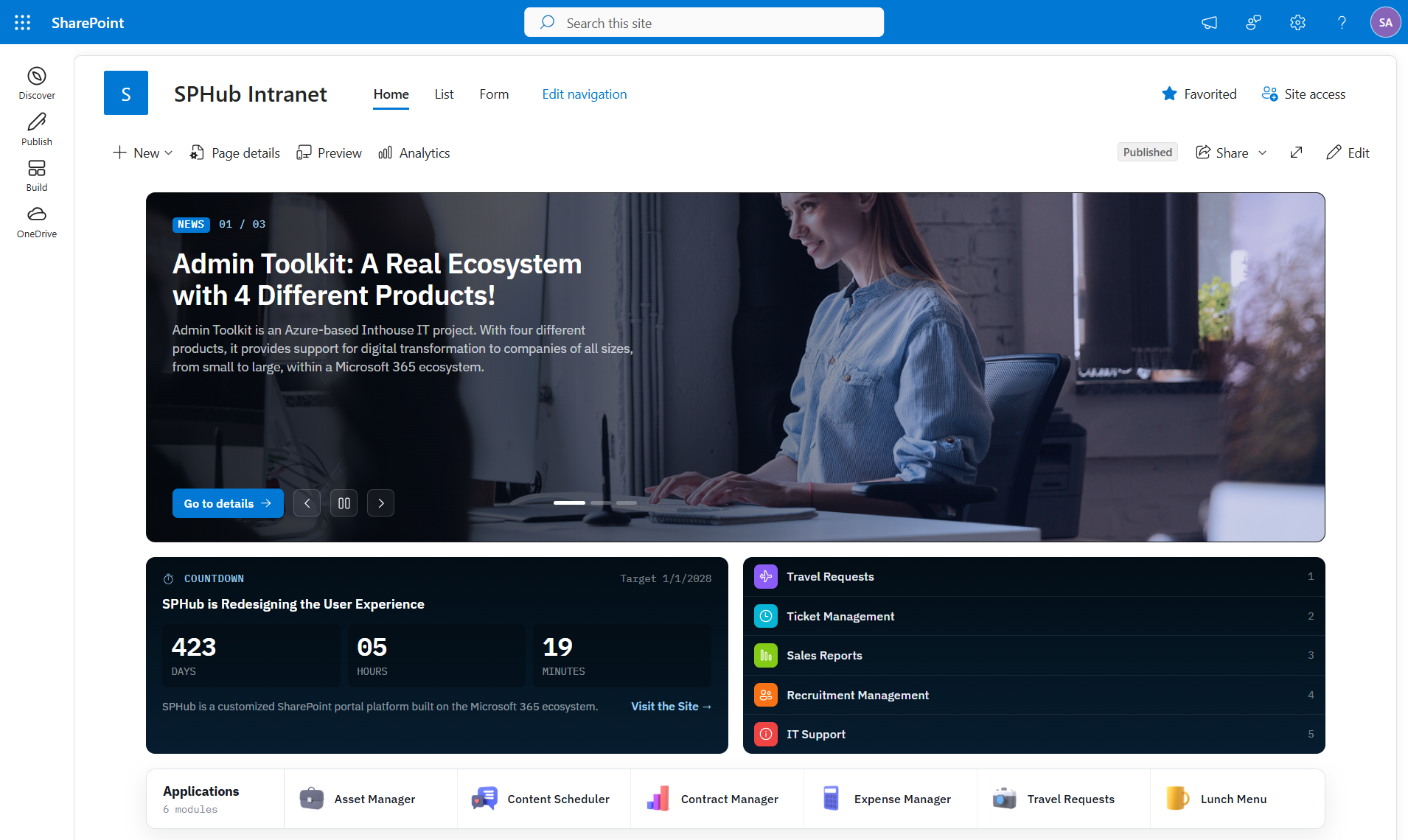
We build your intranet from scratch or on SPHub, depending on what you need. SPHub is our ready-made intranet, with expense, asset and policy modules.
Document management
We organize sites, libraries, metadata and permissions so every document has a clear home and owner. That way SharePoint's version history and search actually work for you.
Workflows and apps
We automate approvals and requests on SharePoint lists with Power Automate flows and Power Apps. Where needed, we also build custom software that connects to SharePoint.
Moves to Microsoft 365
We move content and permissions from SharePoint Server to SharePoint Online in a planned way. We know both sides: we also work on on-premises SharePoint, from 2013 to Subscription Edition.
How do you plan a move to SharePoint Online?
Moving to SharePoint Online is more than copying files. Permissions, site structure and custom solutions need a plan first. So every move starts with an inventory of what you have today.
Assess
We map your sites, content, permissions and custom solutions.
Prepare
We design the new site structure and rewrite or adapt solutions that won't run in SharePoint Online.
Trial migration
We move a portion of the content and validate the result with your users.
Go live and support
We complete the move in a planned window and support the environment afterwards.
Organizations we've done this for
TRUMPF
Long-term partner for SharePoint on-premises and Online. We built and ran SharePoint-based apps, Power Apps and Power Automate flows.
Howden
We implemented SPHub on SharePoint Online.
Yılport
SPHub implemented with customizations. We built services to replace SharePoint variations, delivered multilingual Viva features, and integrated the ERP with SharePoint.
Frequently asked questions
Should we choose SharePoint Online or SharePoint Subscription Edition?
It depends on your organization. If your data must stay on-premises, Subscription Edition makes sense, and our SharePoint on-premises page covers it. If not, SharePoint Online means Microsoft runs the servers and the updates for you.
Will our existing custom solutions work in SharePoint Online?
Server-side (farm) solutions don't run in SharePoint Online. Customizations there are built with SharePoint Framework or Power Platform instead. Before the move, we review each solution and rewrite it or suggest a suitable replacement.
Should we use SPHub for our intranet, or build from scratch?
Either works. SPHub comes ready with expense, asset and policy modules, and it can be customized to fit. If your needs are different, we build the intranet directly on SharePoint Online.
Who runs the environment after go-live?
We can, as an SLA-backed managed service. If your own team prefers to run Microsoft 365, our product Admin Toolkit brings administration into one panel.
Can you review our Microsoft 365 licenses too?
Yes, with our free Microsoft 365 health check, once per organization. We review license usage from Microsoft 365 usage reports, through temporary, read-only Reports Reader access or reports you export yourself. You get a short report within 5 business days and a 30-minute walkthrough.
Related services
2013 → Subscription Edition
SharePoint on-premises
Installation, version upgrades, maintenance and custom apps.
Microsoft 365 Copilot
Copilot and AI readiness
Get permissions and data in order before you switch Copilot on.
Power Apps · Power Automate · Power BI
Power Platform
Business apps, automated flows and reports.
Related articles
What is SharePoint?
SharePoint is Microsoft's collaboration platform for sharing content and knowledge. Its cloud and on-premises editions, common uses and how it relates to Teams.
Before you turn on Microsoft 365 Copilot: an oversharing checklist
Before you turn on Microsoft 365 Copilot, a checklist for reviewing permissions, sharing links and labels across SharePoint, OneDrive and Teams.
SharePoint 2016 and 2019 support has ended: what now?
Microsoft ended support for SharePoint Server 2016 and 2019 on 14 July 2026. What that means, and the three ways forward for your environment.
Let's talk about your SharePoint Online plans
In the intro call, we talk through your current environment, your content and your goal.